Sign-up guide
GoHighLevel Sign Up: Every Step From Form to Dashboard
By the GHL Deals editorial team · Last updated: October 2026
TL;DR
- Allow about five minutes for the signup form; verification and onboarding can take longer.
- You need a business name, email, phone, card and billing address.
- The subscription charge starts after the trial unless canceled. Usage-based services or add-ons can have separate charges.
- The standard trial is 14 days; eligible partner links offer 30 days. Confirm the actual offer at checkout.
- After signup, answer onboarding questions and start on the Launchpad.
- Compare current trial offers and discounts
Item | Why |
|---|---|
Business name | Names your account |
Email | Login and 6-digit verification code |
Phone | Security and contact details |
Credit or debit card | Subscription renewal after the trial |
Billing address | Required for compliance |
USD prices and tutorial screens are examples. Confirm your own offer, billing deadline and current account terms.
1. Click "Start free trial"
Open the official signup page from your chosen offer. The standard homepage shows 14 days; a partner offer may show 30 days, so confirm the duration before submitting.
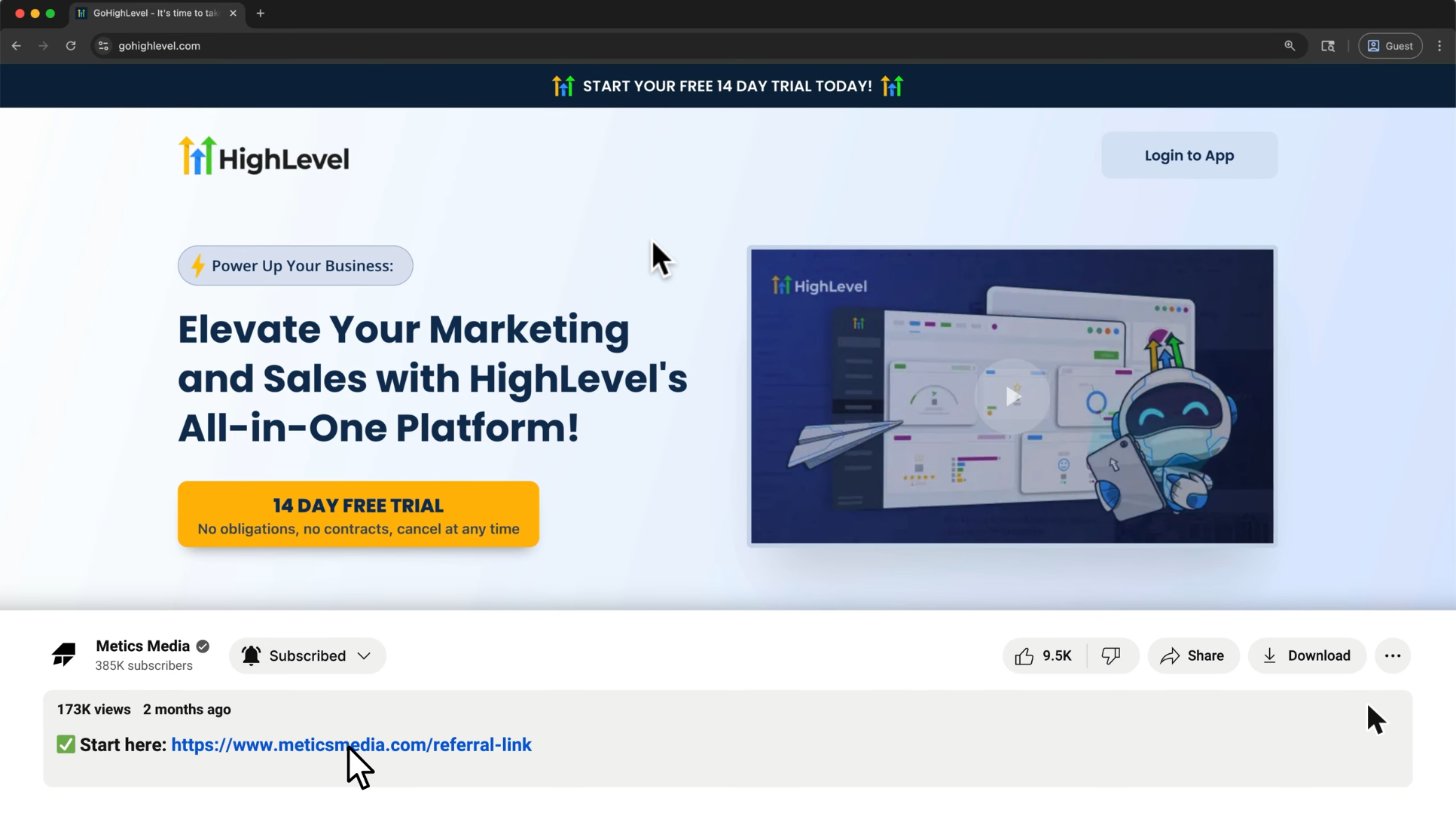
The standard homepage offers 14 days, no contract, cancel any time.
Screenshot from Metics Media's GoHighLevel tutorial on YouTube.
2. Enter business details
Enter your business name, your name, email and phone on HighLevel’s official form. Use an email inbox you can access for verification and future login.
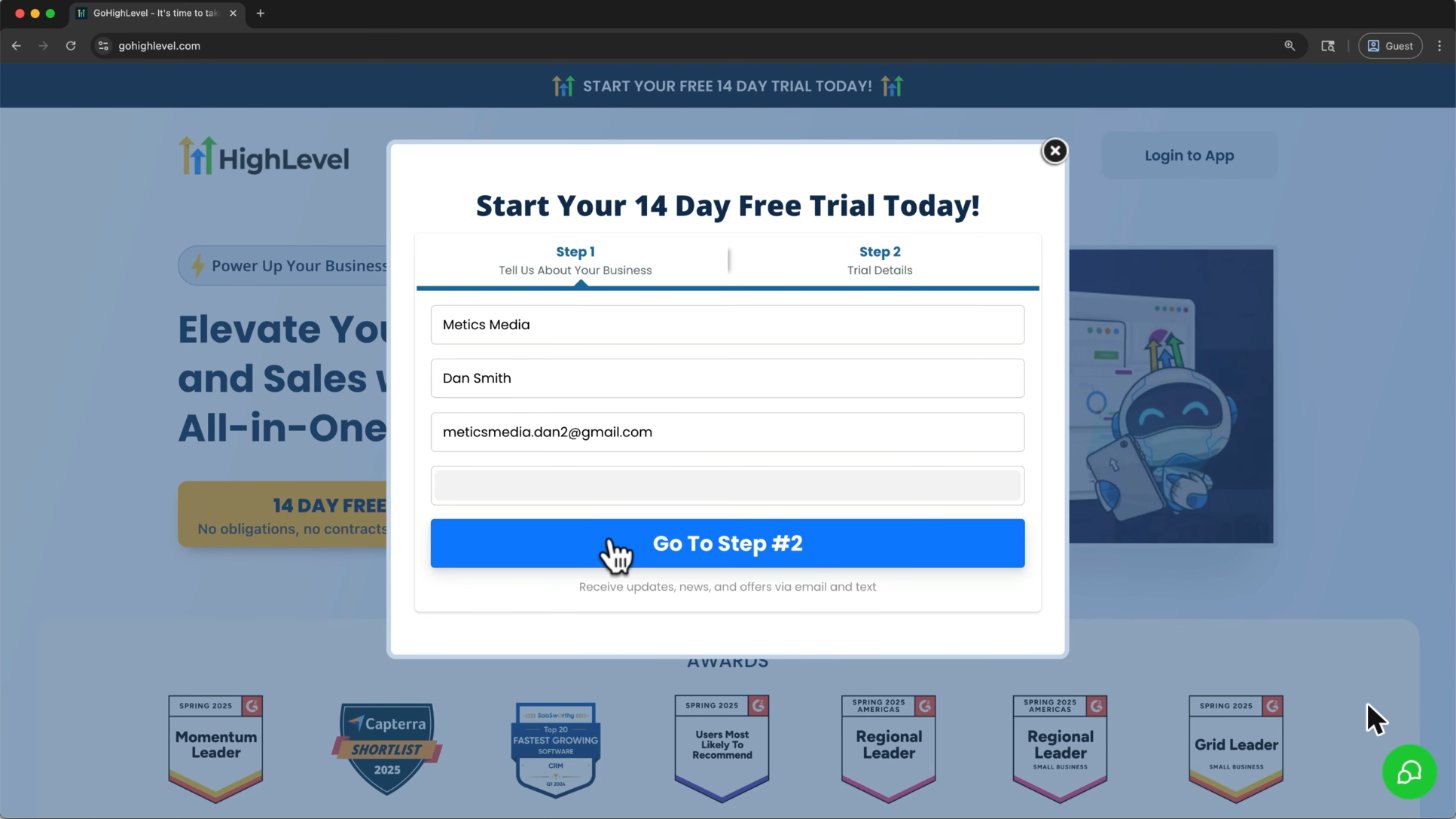
Step 1 of the form: company, your name, email and phone.
Screenshot from Metics Media's GoHighLevel tutorial on YouTube.
3. Choose your plan and add a card
Pick Starter for one business or Unlimited when you need more client accounts, then add a credit or debit card on HighLevel’s secure checkout. Confirm the renewal price and trial end date; subscription billing starts after the trial unless canceled.
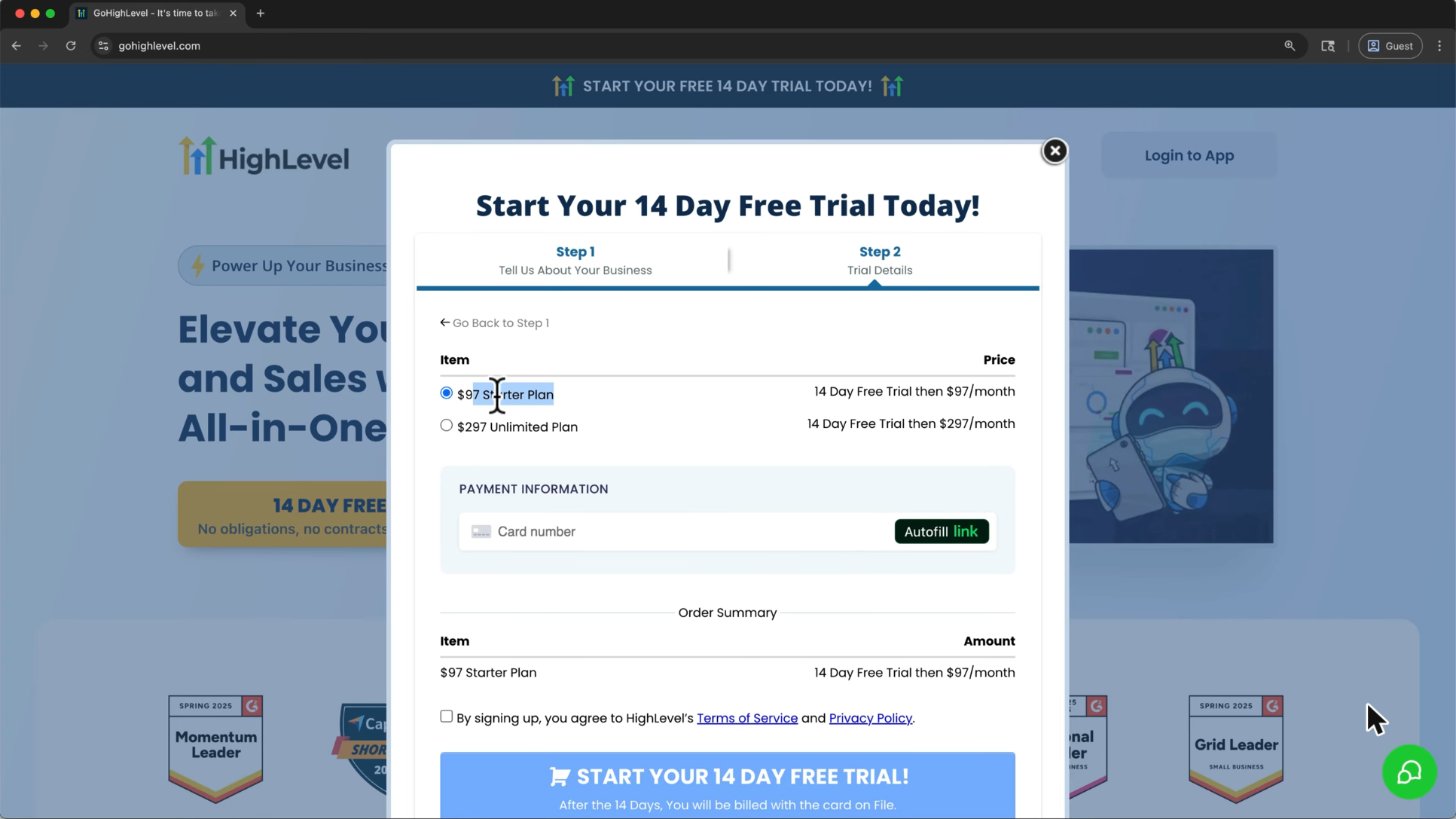
Step 2: pick $97 Starter or $297 Unlimited. The subscription is billed after the free trial unless canceled.
Screenshot from Metics Media's GoHighLevel tutorial on YouTube.
4. Create a password
Create a strong, unique password on the official screen. Never send your password to GHL Deals or enter it into a third-party guide.
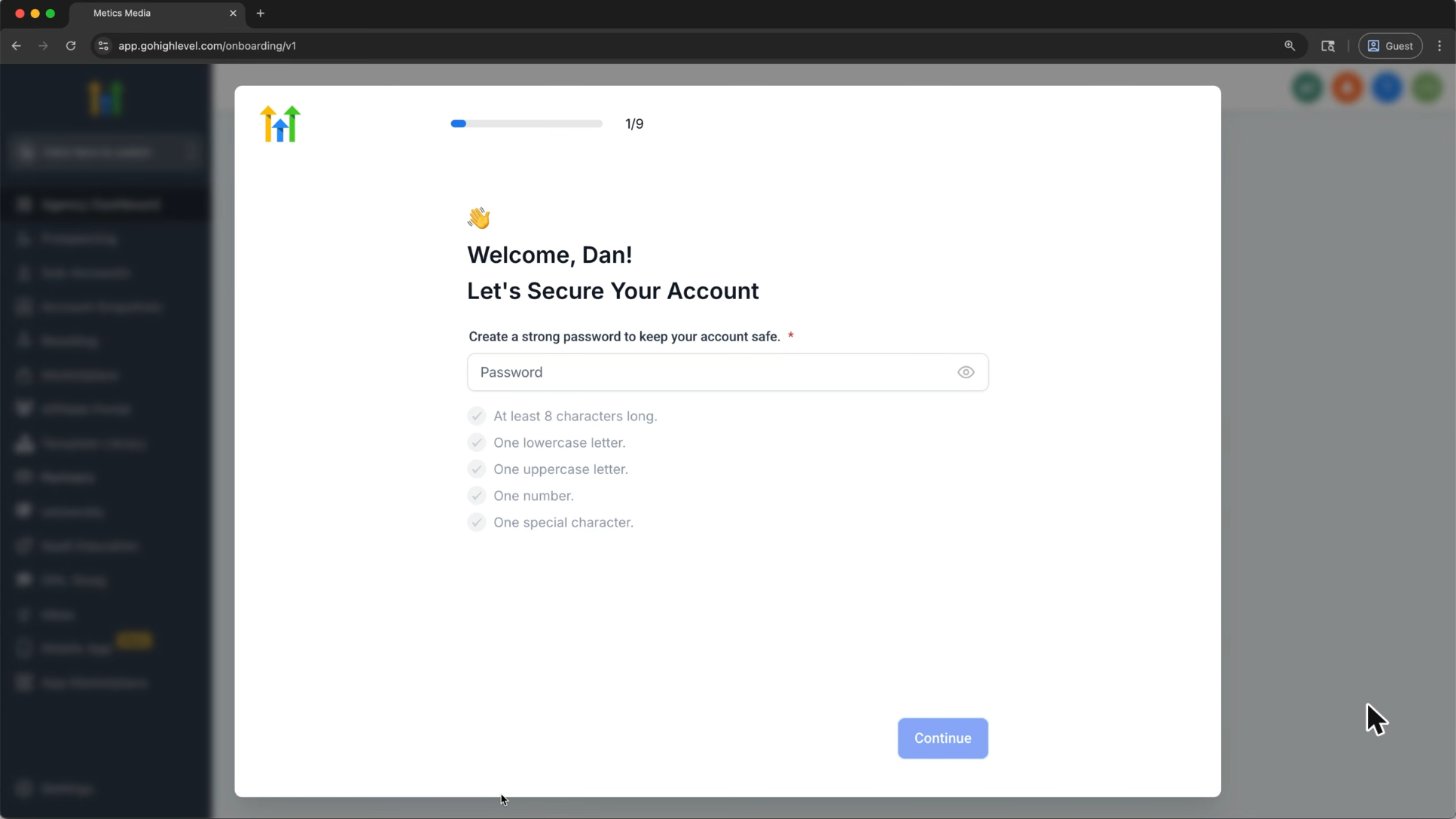
Create a strong, unique password on the official HighLevel website.
Screenshot from Metics Media's GoHighLevel tutorial on YouTube.
5. Verify your email
Enter the six-digit code sent to your inbox. If it does not arrive, check spam, confirm the email address and request a fresh code.
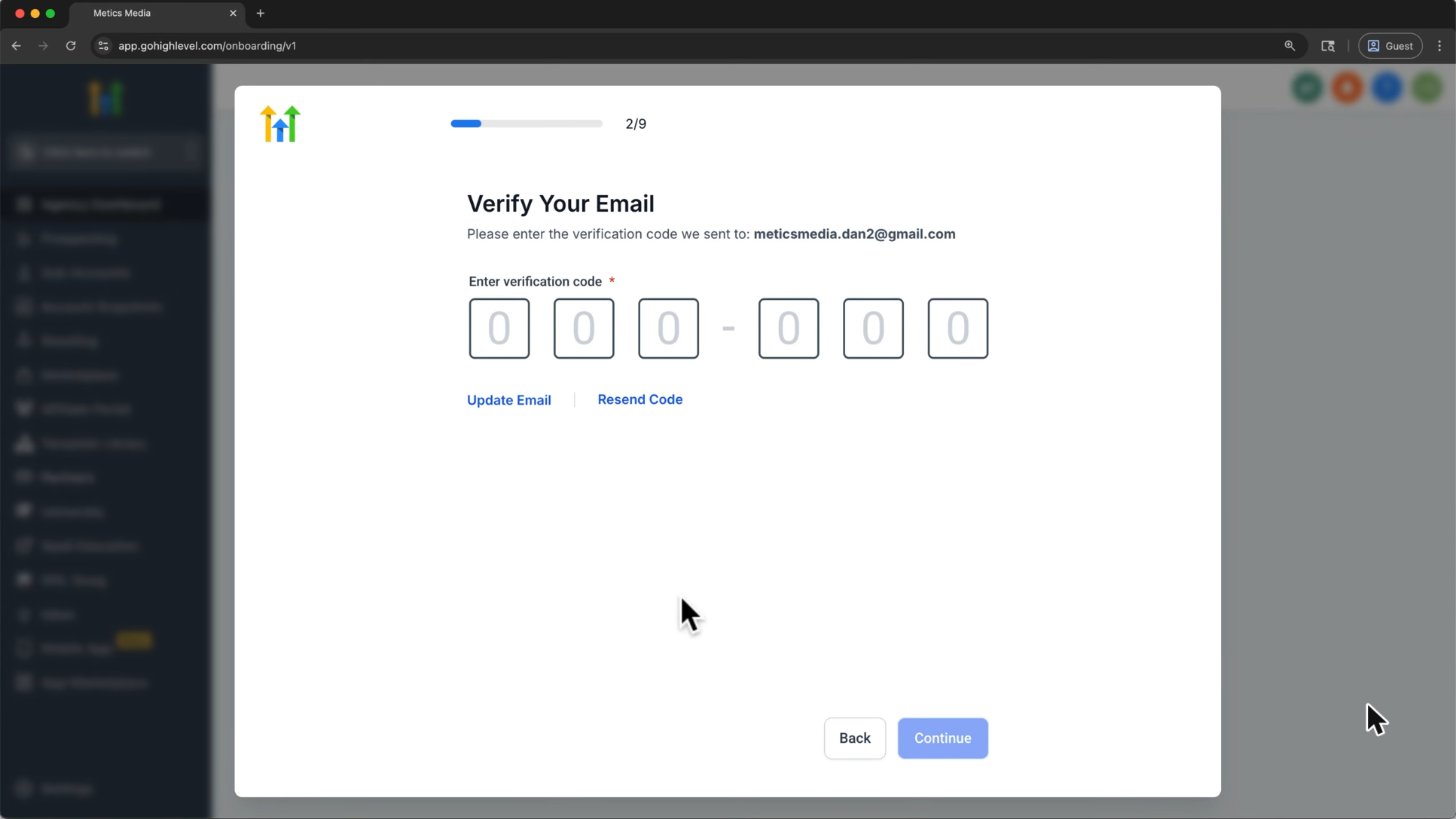
Check your inbox for the six-digit verification code and enter it on the official signup screen.
Screenshot from Metics Media's GoHighLevel tutorial on YouTube.
6. Add your billing address
Enter accurate billing address, country, region, city and postal code. HighLevel requests these details for compliance.
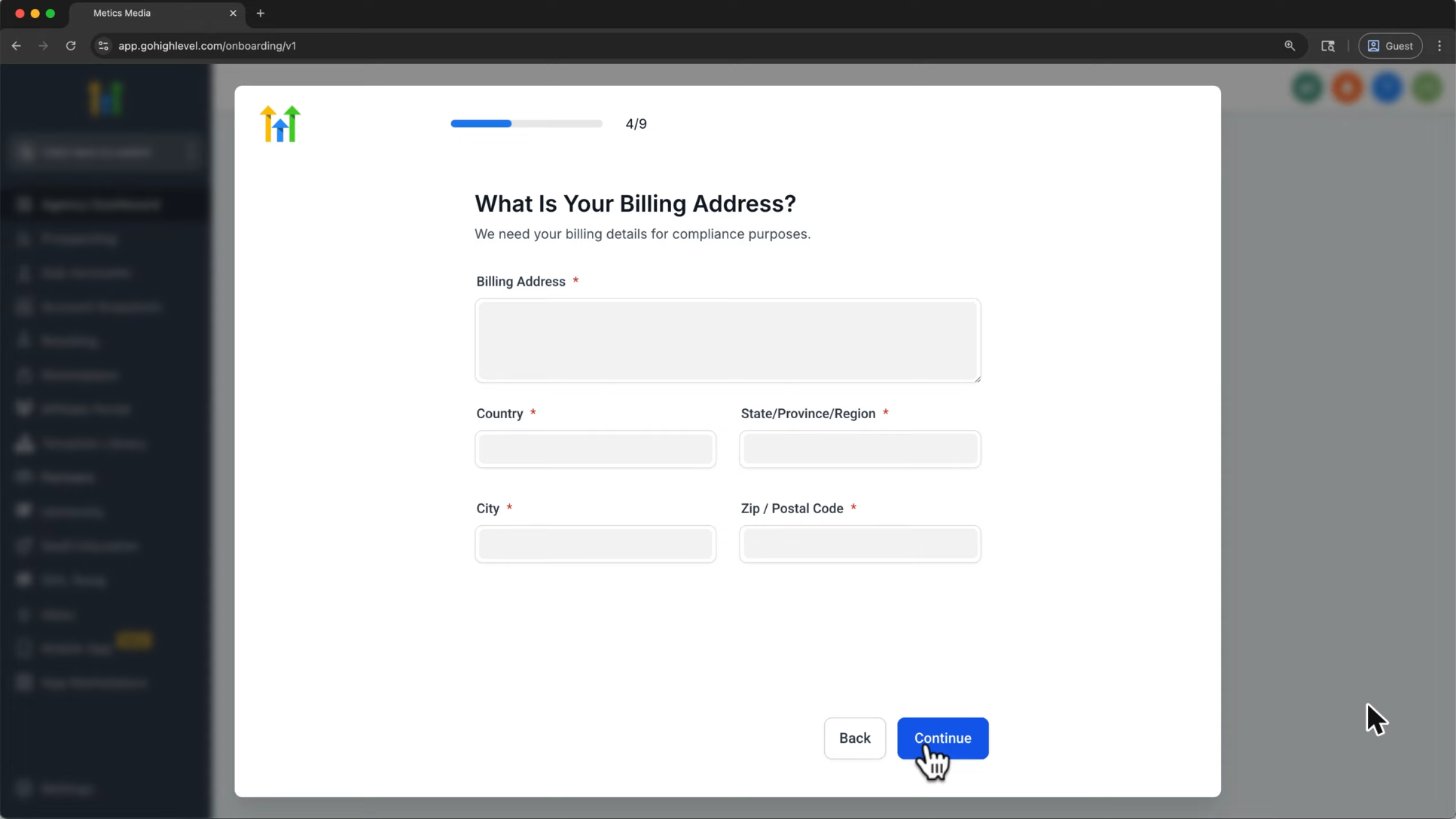
HighLevel asks for a billing address for compliance.
Screenshot from Metics Media's GoHighLevel tutorial on YouTube.
7. Answer the resell question
Choose Yes if you are an agency planning to resell HighLevel, or No if it is for your own business. This onboarding answer does not itself upgrade your plan or enable paid SaaS features.
8. Pick your industry
Choose the closest match to your business so HighLevel can tailor setup tips. Your screen may use different labels or a different question order.
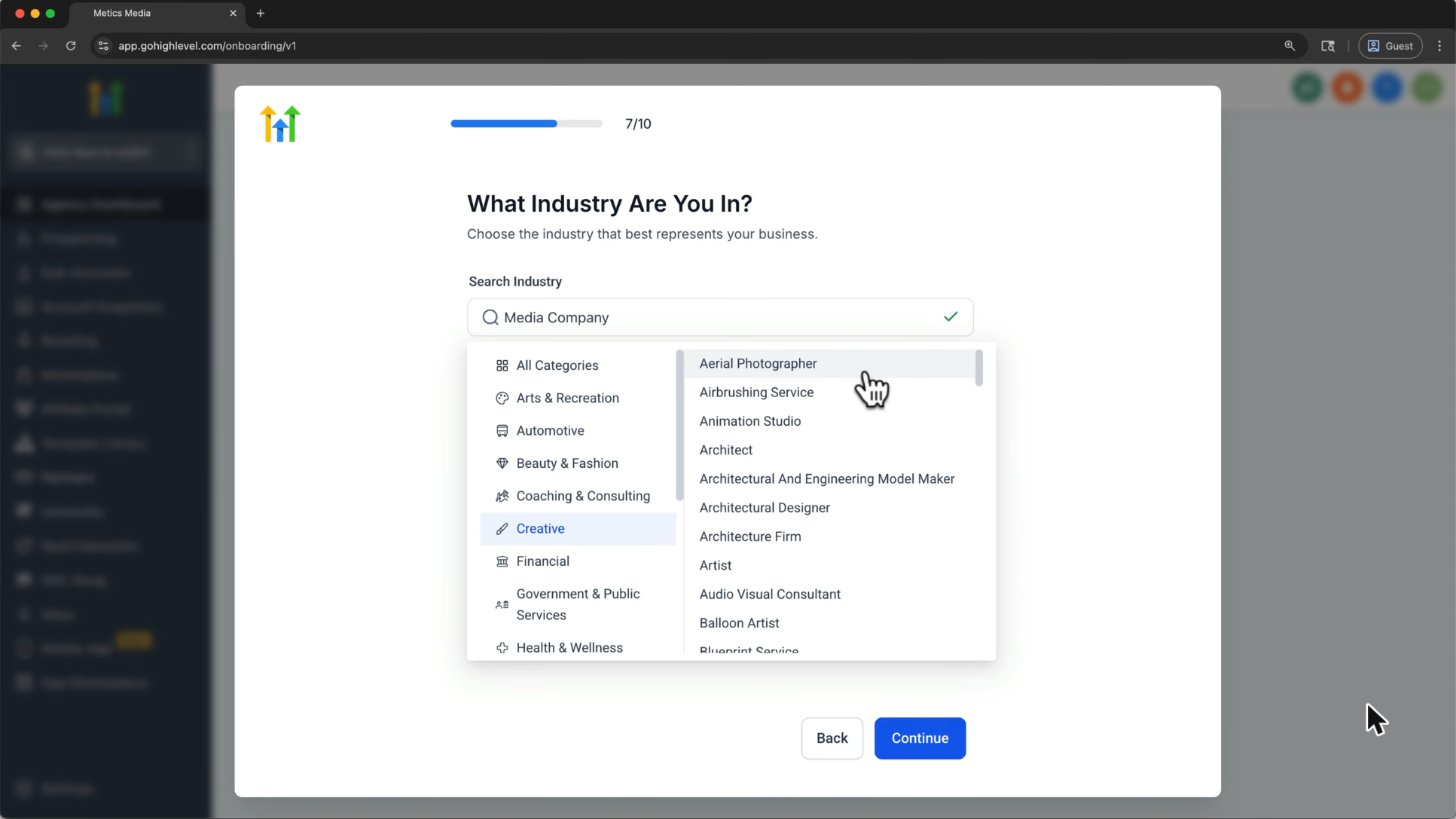
Pick your industry so HighLevel can tailor setup tips.
Screenshot from Metics Media's GoHighLevel tutorial on YouTube.
9. Book the free onboarding call
The account-ready screen offers an onboarding call, which can help you finish setup. The tutorial shows a $15 wallet credit incentive; treat that as an offer shown at recording time, not a guaranteed signup benefit.
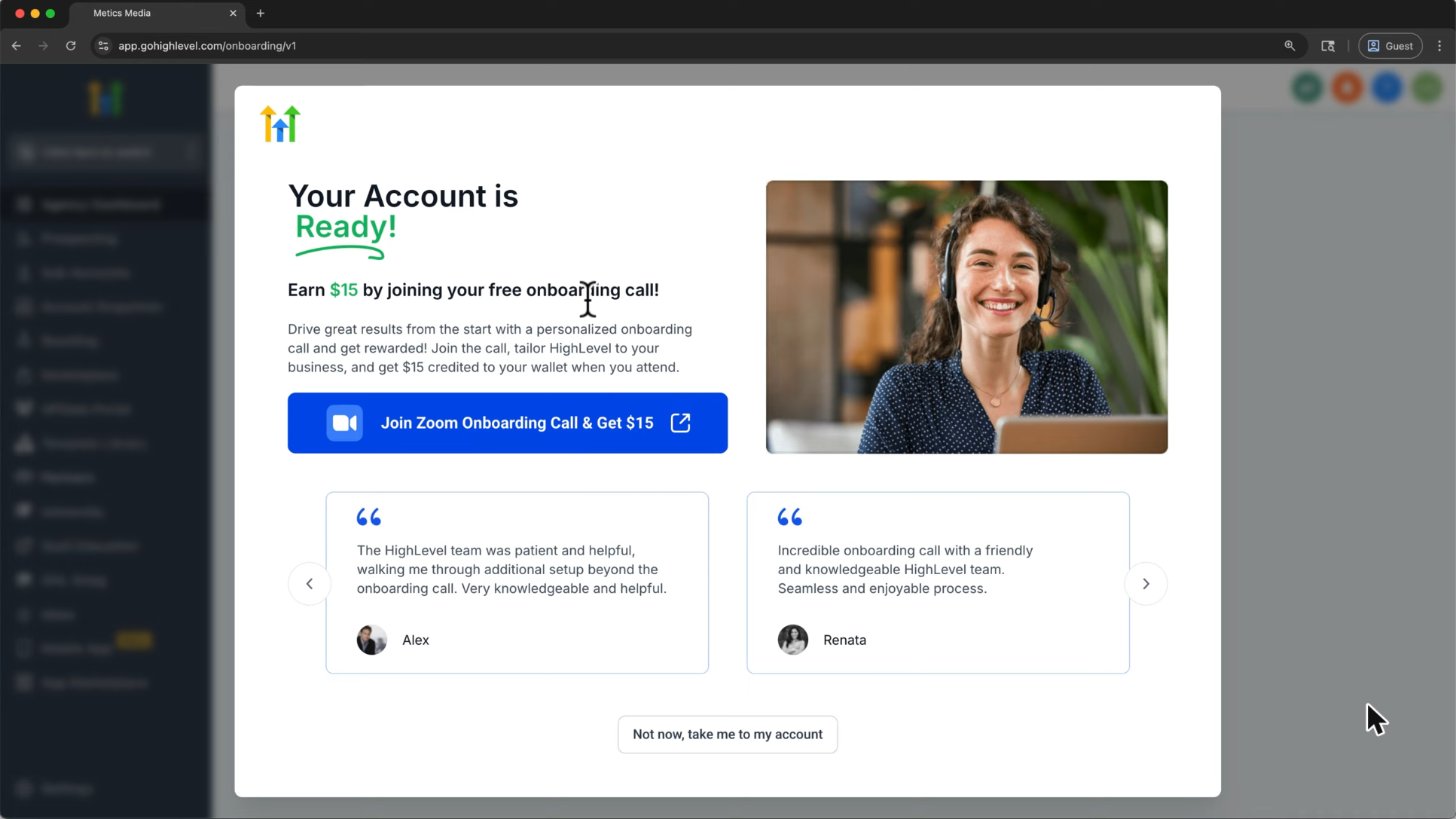
Your account is ready. This tutorial shows a free onboarding call and a $15 wallet credit offer; check whether that incentive is offered in your account.
Screenshot from Metics Media's GoHighLevel tutorial on YouTube.
10. Start on the Launchpad
Open your new sub-account and follow the Launchpad checklist. Begin with your business profile and one simple contact-to-booking flow.
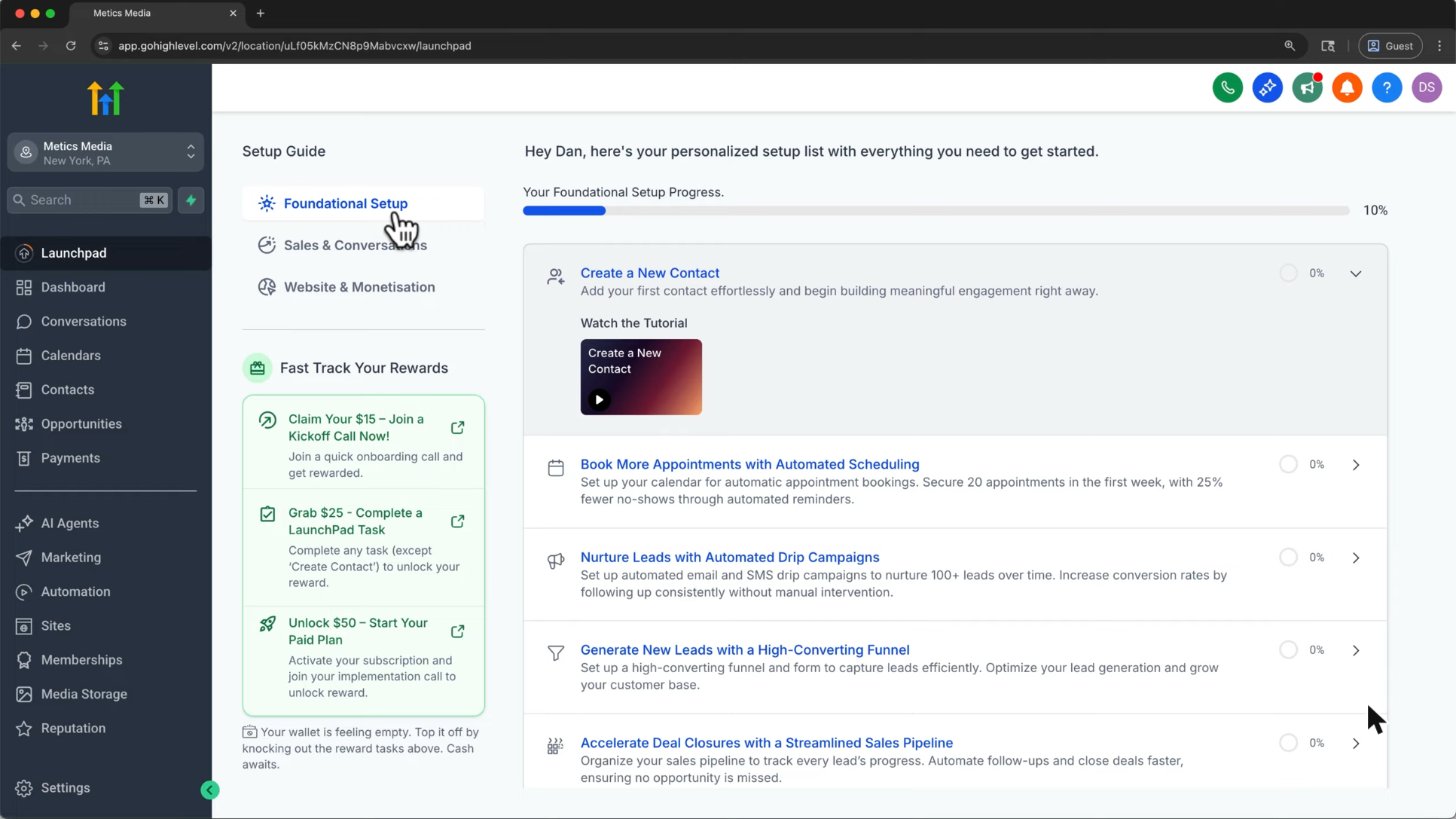
Brand new accounts can use the Launchpad to finish setup, then the dashboard fills up as you add data.
Screenshot from Metics Media's GoHighLevel tutorial on YouTube.
Tip: get 30 days instead of 14
Our 30-day partner offer provides more time to test than the standard homepage trial. Longer promotions have their own eligibility and availability conditions, so confirm the duration shown at checkout rather than assuming any link extends an existing account.
After sign-up: login, billing and setup
Official HighLevel tutorial
Getting Started with GoHighLevel
An official getting-started walkthrough supporting signup and initial account setup. Current screens and offers can differ.
Official HighLevel videoPlaying shares data with YouTube. Vendor tutorial, not an independent review.
Frequently asked questions
Does GoHighLevel need a credit card to sign up?
Yes. The standard trial signup asks for a card, with subscription billing after the trial unless canceled. Usage services and paid add-ons can be billed separately.
Which plan should I pick when signing up?
Starter is a practical starting point for one business; Unlimited suits agencies needing more sub-accounts. Compare features and costs in our pricing guide.
Can I change plans later?
Yes. Use Agency Settings > Billing to review available plan changes and their effective dates.
How long does sign-up take?
About five minutes for the form is a reasonable estimate. Verification and the full business setup can take longer.
I signed up but can't log in?
Use our login guide to check the official app address, password reset and verification-code troubleshooting.
Keep exploring GoHighLevel
Sources and editorial notes
Screenshots supplied by Adam, with individual source credits beneath each image. GHL Deals is an independent guide, not HighLevel. Interface labels, feature availability and usage fees can change; confirm current terms before enabling a paid feature.
Disclosure: We may earn a commission if you sign up through our links, at no additional cost to you. How we earn.