GoHighLevel for Lawyers: Intake & Follow-Up
By the GHL Deals editorial team · How we review offers
Firms lose enquiries when nobody responds quickly. Intake automation can acknowledge an enquiry and book a consultation, but legal work adds confidentiality duties that generic marketing setups ignore.
Law firms can test GoHighLevel for enquiry intake, follow-up and appointment reminders. Keep confidential details out of marketing workflows and check your professional conduct and data obligations first.
We separate documented offer terms from our own practical guidance. Check the signup page for the latest conditions before committing.
TL;DR: the key points in 30 seconds
- Automate intake, not legal advice: A new-enquiry workflow can acknowledge contact, offer a consultation booking link and notify the right person.
- Check your obligations first: Professional conduct rules, confidentiality duties and data-protection law all shape what you may put in a marketing platform.
- Pilot with one practice area: Start with a single enquiry type, such as one practice area’s consultation requests.
- How to claim the offer: Open the special signup link and check the offer displayed before you enter your details.
- What to check before you sign up: Start with the workflow you actually need to test, not the biggest feature list.
If you… | Lean toward | Why |
|---|---|---|
Want faster intake follow-up | GoHighLevel | Forms, missed-call text-back and pipelines |
Want consultation booking | GoHighLevel | Calendars with reminders |
Need case or matter management | Legal practice software | GoHighLevel is not a case-management system |
Handle confidential client data | Check your bar rules | Review confidentiality and advertising rules first |
Editorial fit guidance, not a rating. Check each vendor's site for current plans and prices.
Which fits you? Quick checker
Tick every statement that describes you.
Rule-based suggestion from the verdict table above, not a rating. Test with a trial before you commit.
Automate intake, not legal advice
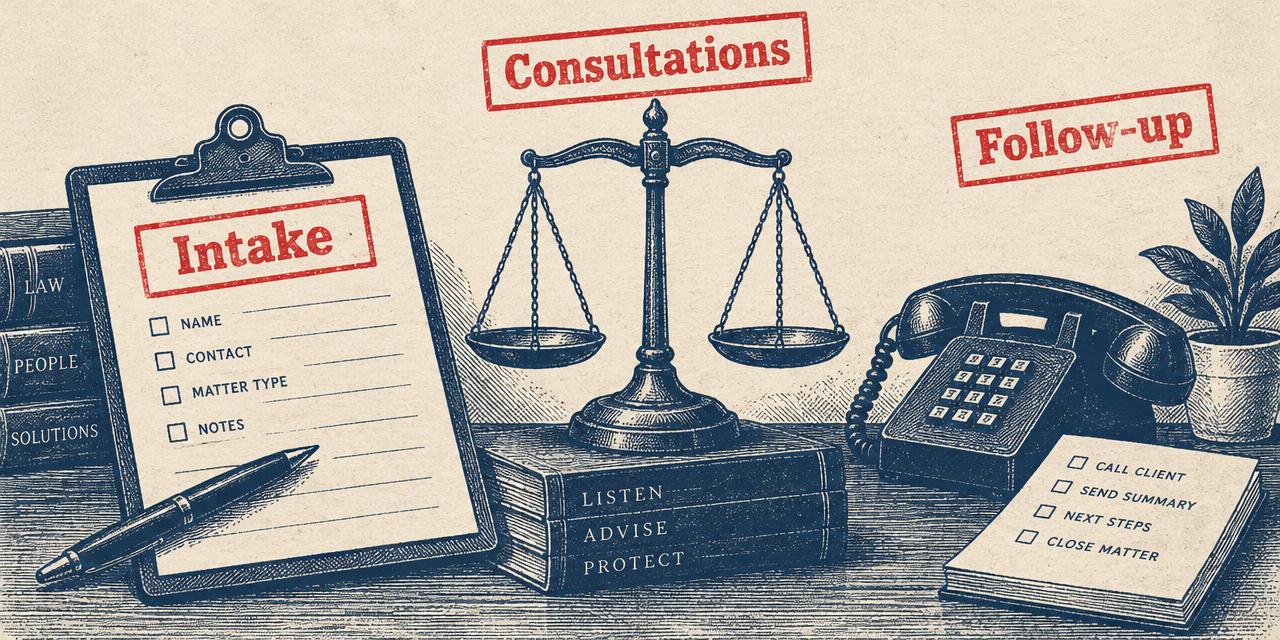
A new-enquiry workflow can acknowledge contact, offer a consultation booking link and notify the right person. Keep automated messages general: never include case details, and never let automation say anything that could read as legal advice or create expectations about representation.
Your intake form should collect only what you need at first contact. Sensitive matter details belong in your secure systems, not in a marketing CRM.
Workflow | What it does | Keep human |
|---|---|---|
Enquiry acknowledgement | Confirms receipt instantly | Conflict checks |
Consultation booking | Offers available times | Engagement decisions |
Reminders | Reduces missed consultations | Rescheduling |
Follow-up | Checks in after first contact | Anything case-specific |
Check your obligations first
Professional conduct rules, confidentiality duties and data-protection law all shape what you may put in a marketing platform. Review these with your own compliance advisor before storing client information or sending automated messages.
Be careful with review requests and testimonials too; many jurisdictions restrict how firms may solicit or present them.
Pilot with one practice area
Start with a single enquiry type, such as one practice area’s consultation requests. Test the experience as a potential client would, including an after-hours enquiry and a cancellation, before extending it.
How to claim the offer
Open the special signup link and check the offer displayed before you enter your details. There is no promo-code field to complete: the link applies the deal. Select the plan that matches what you want to test, review the billing date and usage terms, then create your account.
A payment card is required. You are not charged for the base subscription until the trial ends, and you can cancel anytime. Set a reminder to evaluate your results before the trial deadline, especially if you are building workflows for several sub-accounts.
Practical checkpoints
- Verify the trial length or discount on the signup page.
- Confirm your chosen plan and the date regular billing starts.
- Test one real workflow and record the results before committing.
What to check before you sign up
Start with the workflow you actually need to test, not the biggest feature list.
- For an agency, that might mean one lead form, one pipeline, one follow-up sequence and a report a client can understand.
- For a business, it may be booking, reminders and a simple way to respond to new enquiries.
HighLevel has three monthly starting points: Starter at $97 for three sub-accounts; Unlimited at $297 for unlimited sub-accounts and API access; and Agency Pro / SaaS Pro at $497 with SaaS Mode, white label and rebilling with markup.
- SMS, calls, email and AI usage are charged separately.
- Check the signup page for the offer terms that apply to you.
Plan | Monthly | Sub-accounts | Key extras |
|---|---|---|---|
Starter | $97 | 3 | Core CRM, funnels, workflows |
Unlimited | $297 | Unlimited | API access |
Agency Pro / SaaS Pro | $497 | Unlimited | SaaS Mode, white label, rebilling |
A checklist for choosing your next step
First, identify the task that is slowing your team down.
- If it is lead follow-up, test one pipeline and one message sequence.
- If it is onboarding new clients, test a second sub-account and compare how much of the setup can safely be reused.
- If it is a clinic booking journey, test the front-desk handoff and privacy safeguards before involving real patient information.
Second, compare the work left after setup.
- Someone must own the data, answer replies, review automations and update content when offers or processes change.
- A feature that saves a few minutes in a demo may cost time to maintain if responsibilities are unclear.
- Have the day-to-day user participate in the decision.
Finally, judge the ongoing cost.
- The subscription is only one line item: SMS, calls, email and AI usage are extra.
- The standard trial is 14 days, while partner links can offer 30 or 60 days.
- Use an appropriate trial to see whether the workflow improves before committing to a plan or yearly payment.
Frequently asked questions
Are GoHighLevel and HighLevel different?
No. GoHighLevel, HighLevel and GHL refer to the same platform. The shorter names appear frequently in product materials and conversations.
Do I need to enter a coupon code?
No. HighLevel offers discussed here are applied through the special signup link. The link is the code; check the offer shown at checkout.
Is a card required for the trial?
Yes. Trials require a card. You are not charged until the trial ends, and you can cancel anytime. Review the signup terms before continuing.
Are SMS, calls, email and AI included in the plan price?
Usage fees for SMS, calls, email and AI are extra. Estimate these separately from the base subscription before choosing a plan.
Sources and review notes
Offer details come from the linked signup pages; product information comes from vendor materials. Our workflow guidance is editorial analysis, not a claim that we tested every feature or verified a vendor’s results. Confirm prices and terms at the source before deciding.
- Offer landing page— Partner offer; terms may change at signup
- HighLevel pricing— Vendor plan and pricing information
- HighLevel help center— Vendor product documentation
See our editorial policy and affiliate disclosure.
Keep exploring
More guides on deals, pricing, trials and comparisons.
 Platform covered · Independent review, not affiliated
See the offer for yourself
Check current terms at signup and choose the plan that fits your workflow. No typed code is required.
Get 50% Off for 3 MonthsDisclosure: We may earn a commission if you sign up through our links, at no additional cost to you. How we earn.