Funnel builder guide
GoHighLevel Funnel Builder: How It Works, With Real Funnels
By the GHL Deals editorial team · Last updated: October 2026
TL;DR
- A funnel is a sequence of pages, such as opt-in, sales, checkout and thank you, focused on one action.
- HighLevel advertises unlimited funnels on every plan, within the sub-accounts included in that plan.
- Use the drag-and-drop editor and templates with forms, surveys, calendars and supported checkout.
- Captured leads flow into the CRM and can trigger configured workflows. Delivery and processor fees remain separate.
- Compare the 30-day trial and current deals.
Item | GoHighLevel | ClickFunnels |
|---|---|---|
Funnel builder | Included in the platform | Core product |
CRM and pipelines | Included agency-focused CRM | CRM and sales pipeline features; compare your needs |
SMS and workflows | Native workflows; messaging usage fees | Automation available; SMS setup and integrations vary |
White label | Agency branding; SaaS and app features depend on tier/add-ons | Not equivalent to HighLevel’s agency SaaS model |
This is a short positioning summary, not a claim that ClickFunnels lacks CRM or automation. See the full sourced comparison for current plans and limits.
What is a funnel in GoHighLevel?
A funnel guides a visitor through ordered steps toward an action such as leaving contact details, booking a call or buying a product. Unlike a broad website navigation menu, its pages focus on a specific offer and next step.
Real funnels from an agency account
The supplied account lists opt-ins, VSL pages and landing-page funnels, each with its own step count. A step is a page in that path; the list shows structure, not conversion rates or revenue.
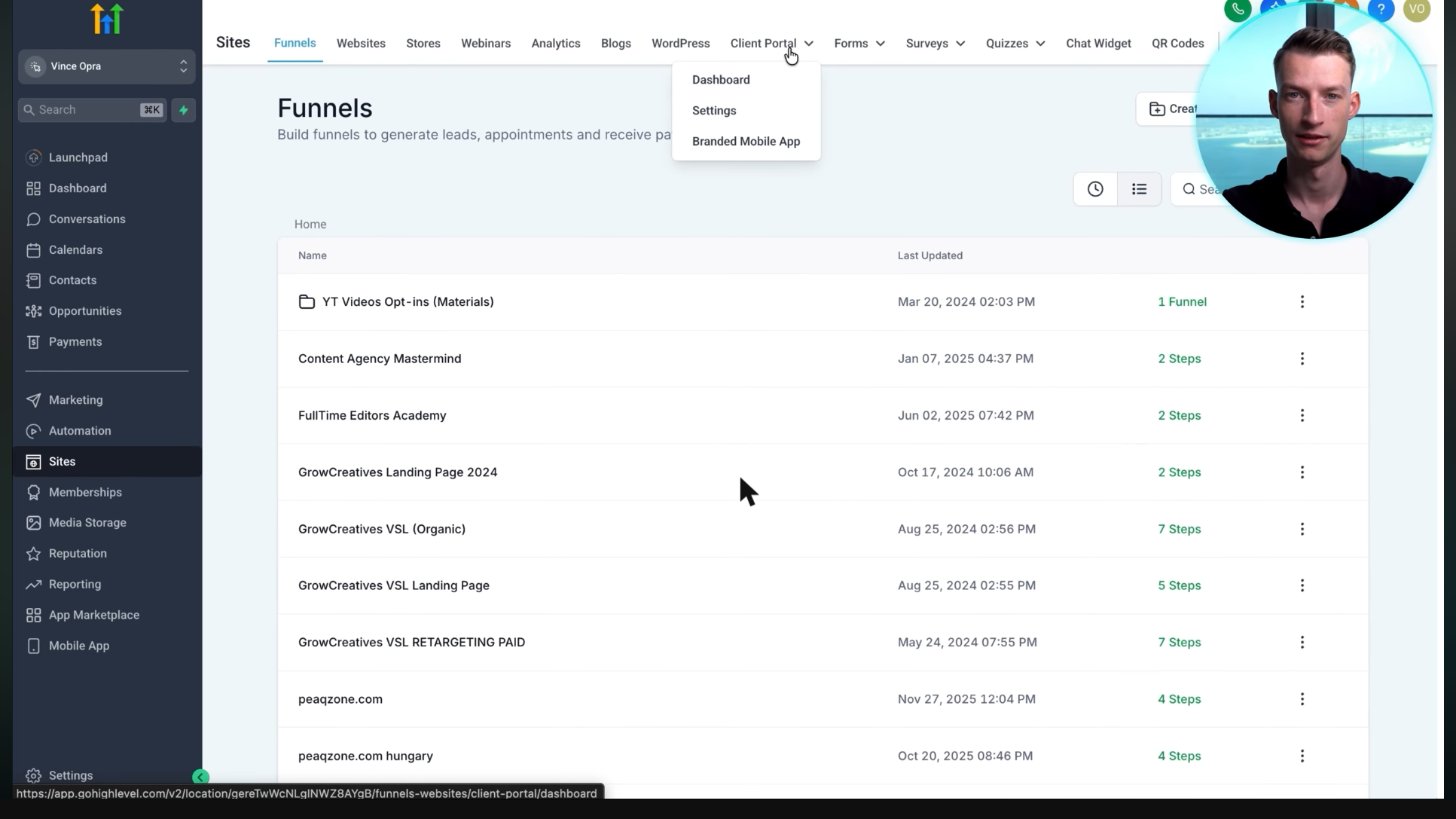
A real agency's funnels: VSL funnels, landing pages and opt-ins, each with its number of steps.
Screenshot from Vince Opra's GoHighLevel tutorial on YouTube.
Inside the funnel editor
Open a step to edit sections, text, videos, images and buttons in the visual builder. Use desktop and mobile views and replace all placeholders before publishing; an attractive template still needs a clear, accurate offer.
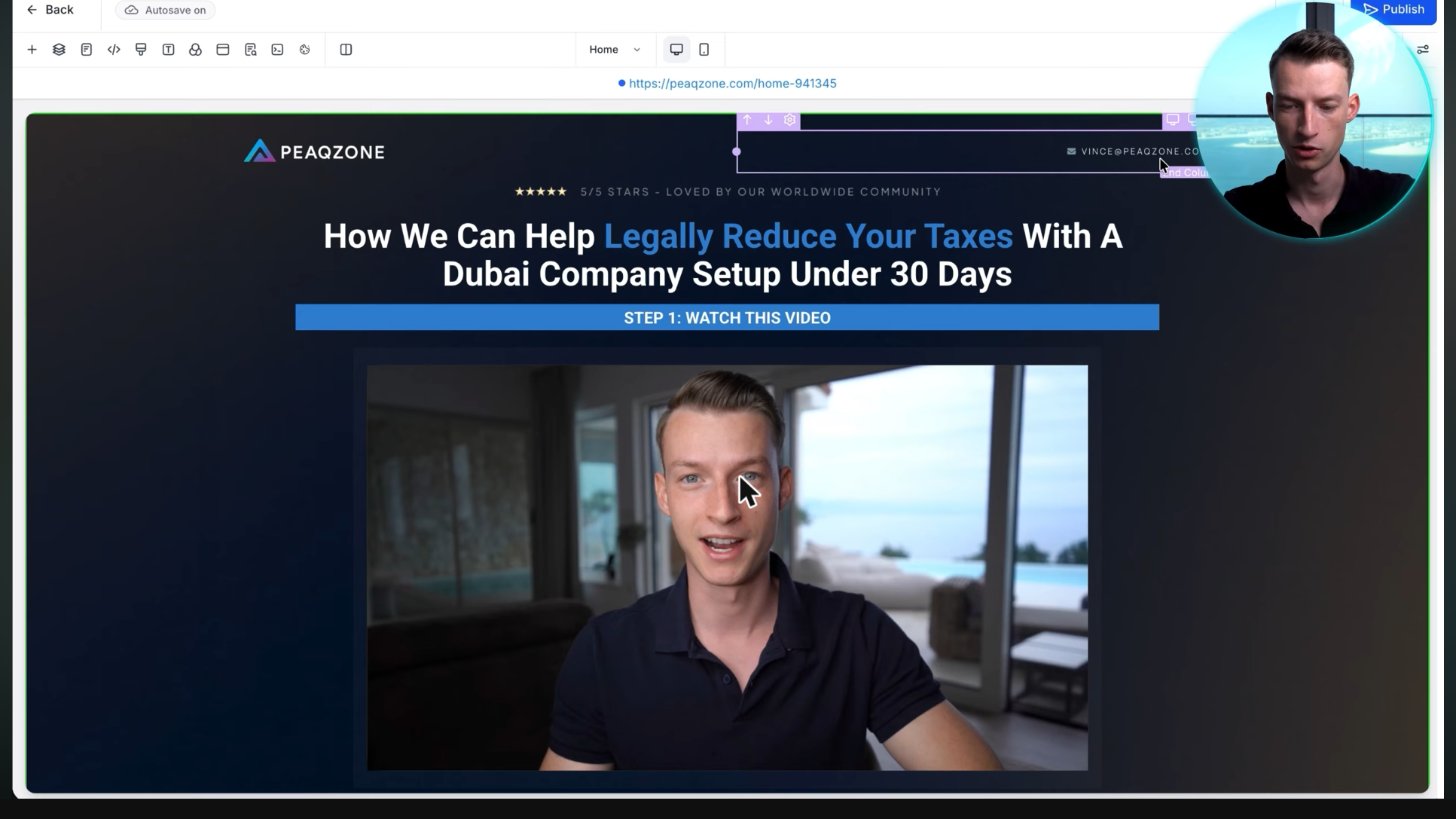
A business landing page for peaqzone.com shown inside the GoHighLevel editor. The headline, video and buttons can be edited in the builder; this is not an endorsement of its claims.
Screenshot from Vince Opra's GoHighLevel tutorial on YouTube.
Forms, calendars and checkout inside your funnel
Use a form or survey to capture appropriate contact fields, embed a calendar for appointments, or configure supported checkout for products. Connect Stripe or PayPal where the selected payment flow supports it and test failed payments as well as successful ones.
Processor fees, regional availability, taxes, shipping and refunds require their own setup. Collect only necessary customer data and use appropriate consent language.
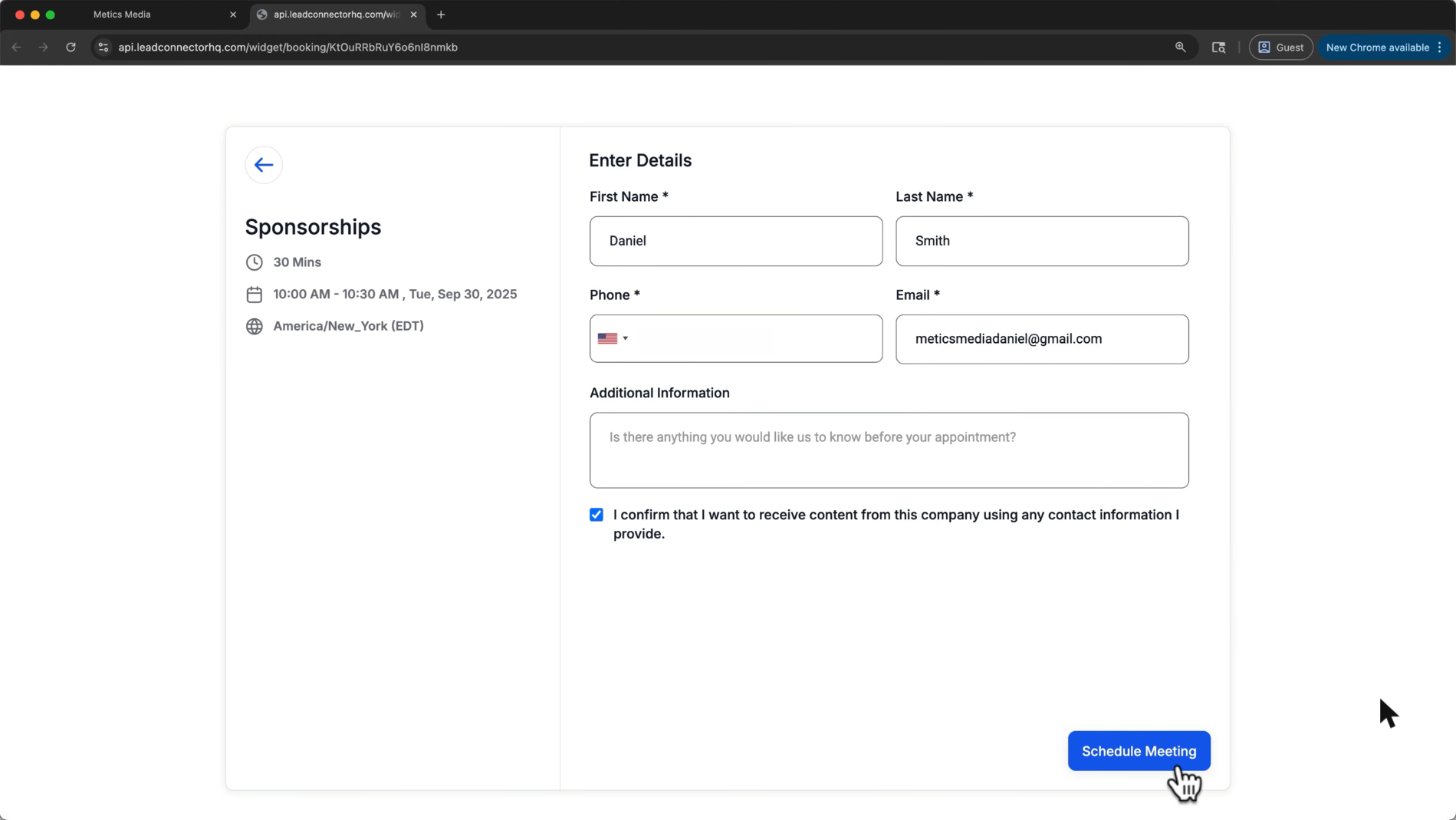
This is what your customer sees when they book: name, phone, email and a Schedule Meeting button.
Screenshot from Metics Media's GoHighLevel tutorial on YouTube.
Connect the funnel to workflows
A form submission, booked appointment or supported purchase event can trigger follow-up in the same account. Map the contact fields, create or update the opportunity, and stop or branch messages when the contact replies, opts out or completes the goal.
How to build your first funnel (5 steps)
- Open Sites > Funnels, create a funnel and choose a template or blank start.
- Add the steps you need, such as capture and thank-you pages.
- Replace content and add a form, calendar or supported checkout.
- Connect the domain and configure the relevant CRM/workflow trigger.
- Test the public flow on desktop and mobile, confirm the contact and next action, then launch.
Independent tutorial
Start HERE: Step by Step GoHighLevel Funnel Tutorial for Beginners
An independent step-by-step funnel tutorial covering the builder. Plan and feature terms should be checked against current documentation.
Independent video by GHL WizardPlaying shares data with YouTube. Independent creator tutorial, not official HighLevel support.
Frequently asked questions
Is the GoHighLevel funnel builder good?
It is a practical fit when you want pages connected to CRM, booking and follow-up in one system. Test the editor, mobile layout, checkout and design flexibility against your own needs rather than relying on a blanket rating.
Can I import a ClickFunnels funnel?
HighLevel documents a ClickFunnels import option for supported pages. Import support is not a guarantee that every script, form, payment connection or layout transfers correctly; review and test the result, or rebuild from a template.
Are funnels unlimited?
HighLevel advertises unlimited funnels on every plan. The number of sub-accounts depends on the plan; domains, messaging, processors and add-ons have their own terms and costs.
Can I sell products in a funnel?
Yes. Configure products and a supported checkout with Stripe or PayPal where available, then test the full payment and fulfillment flow. Processor fees apply.
Website vs funnel in GHL?
A website is usually a multi-page site with navigation. A funnel is a step-by-step path toward one action, such as a booking or purchase. Both use HighLevel’s visual builder.
Keep exploring GoHighLevel
Sources and editorial notes
- HighLevel: how the Template Library works
- HighLevel: building sales funnels
- HighLevel help center: current setup instructions
- Official HighLevel pricing and plan features
Screenshots supplied by Adam, with individual source credits beneath each image. GHL Deals is an independent guide, not HighLevel. Interface labels, feature availability and usage fees can change; confirm current terms before enabling a paid feature.
Disclosure: We may earn a commission if you sign up through our links, at no additional cost to you. How we earn.