Feature guide
GoHighLevel Features: Every Tool Explained With Screenshots
By the GHL Deals editorial team · Last updated: October 2026
TL;DR
- One platform can replace roughly 10 separate tools, depending on the features you actually use.
- Core tools include CRM, inbox, calendars, funnels and websites, workflows, email and social marketing, reputation, payments and memberships.
- Every plan includes the core tools. Higher plans expand sub-accounts, API access and SaaS capabilities; AI Employee and usage-based services cost extra.
- See the tools below with credited screenshots, without treating tutorial or sample figures as your expected results.
- Compare the 30-day trial and current deals.
Feature | What it does | Deep dive link |
|---|---|---|
CRM | Contacts and pipelines | |
Conversations | One inbox for SMS, email and supported DMs | |
Calendars | Booking pages and reminders | |
Funnels and websites | Pages, stores and blogs | |
Workflows | Automation | |
AI Employee | AI chat, voice and review tools | |
Marketing | Email and social planner | |
Reputation | Review requests | |
Payments and memberships | Checkout, invoices and member access | |
Integrations | 1,600+ Marketplace apps at screenshot time | |
Mobile app | iPhone and Android |
Core availability does not make delivery, processing, AI or other add-on services free. The linked guides explain setup and costs.
GoHighLevel dashboard
The sub-account dashboard puts pipeline opportunity value, stage distribution and conversion widgets in one place. Filter by date and pipeline before reading a number, and distinguish open deal value from won value or collected payments.
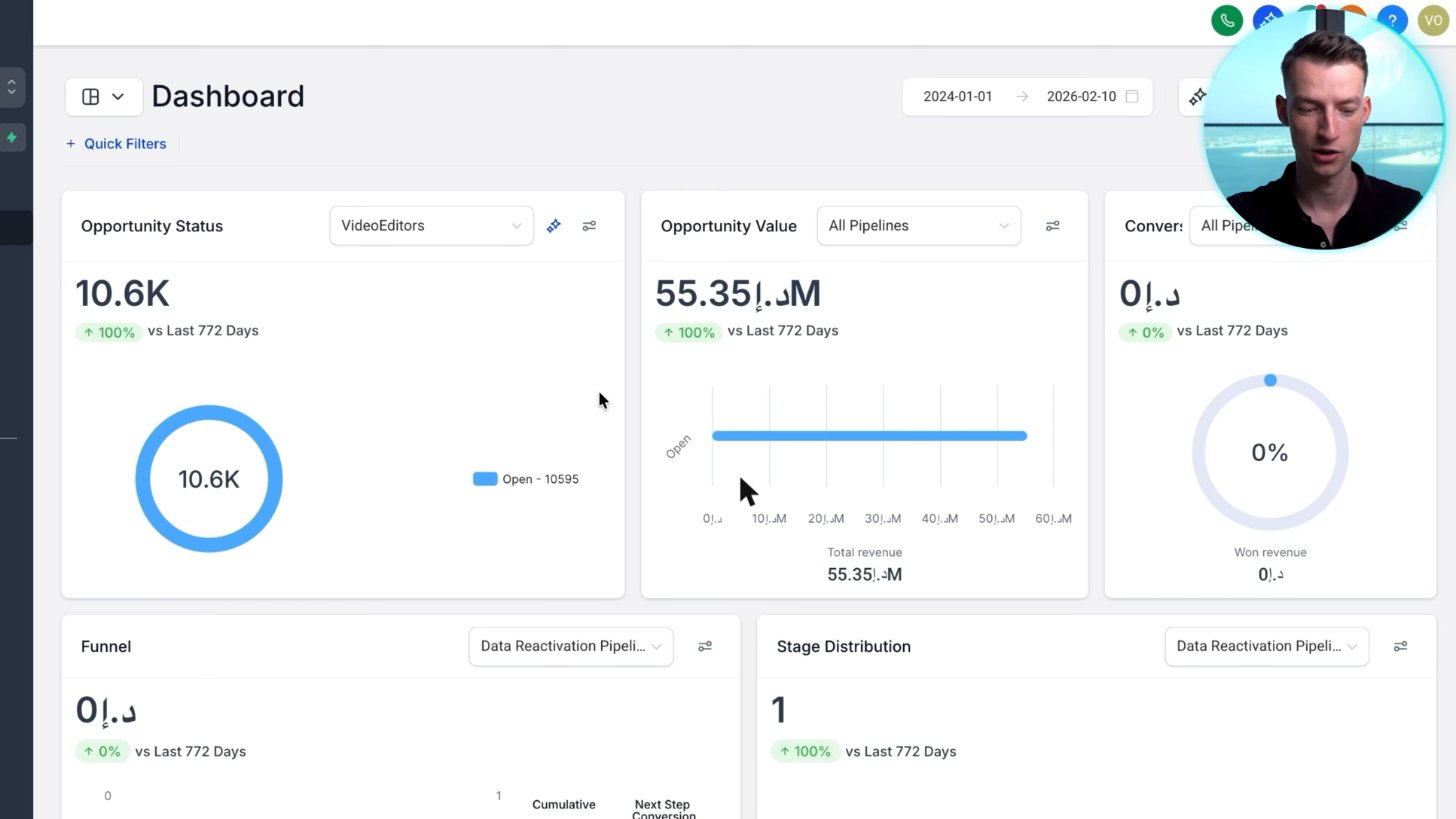
A real agency dashboard: pipeline value, opportunities by stage and conversion in one view. The large figure is open pipeline value, not money already earned.
Screenshot from Vince Opra's GoHighLevel tutorial on YouTube.
GoHighLevel CRM and conversations
Store contacts, segment lists and move opportunities through your pipeline. The Conversations inbox brings supported SMS, email and connected social messages into the same record, with channel setup and permissions determining what is available.
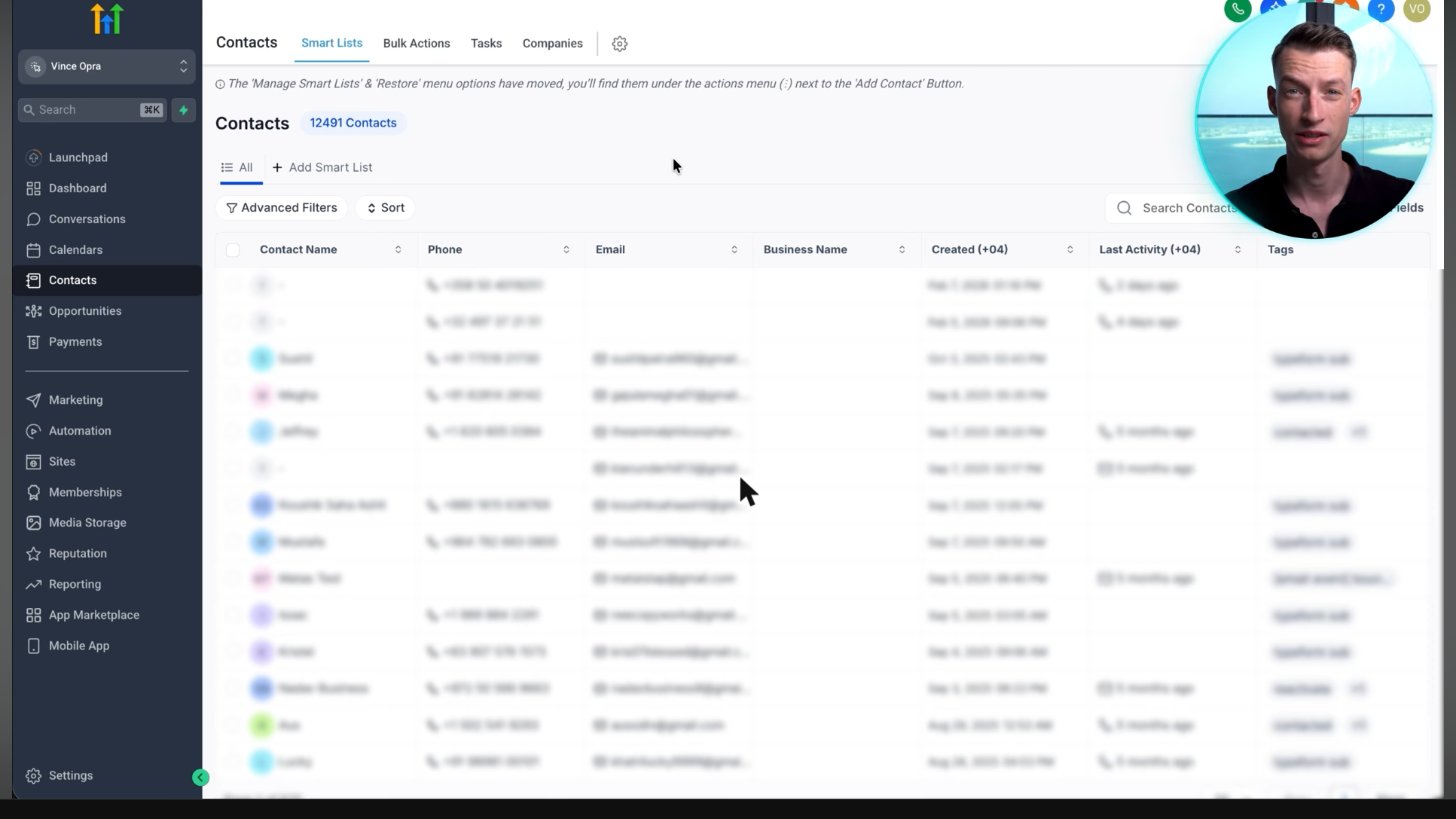
Contacts live in one searchable CRM list, ready for segmentation and follow-up.
Screenshot from Vince Opra's GoHighLevel tutorial on YouTube.
Calendars and appointment booking
Create a booking page with availability rules and connect your calendar to avoid conflicts. A workflow can send confirmations and reminders after a booking; test time zones, cancellations and consent before publishing.
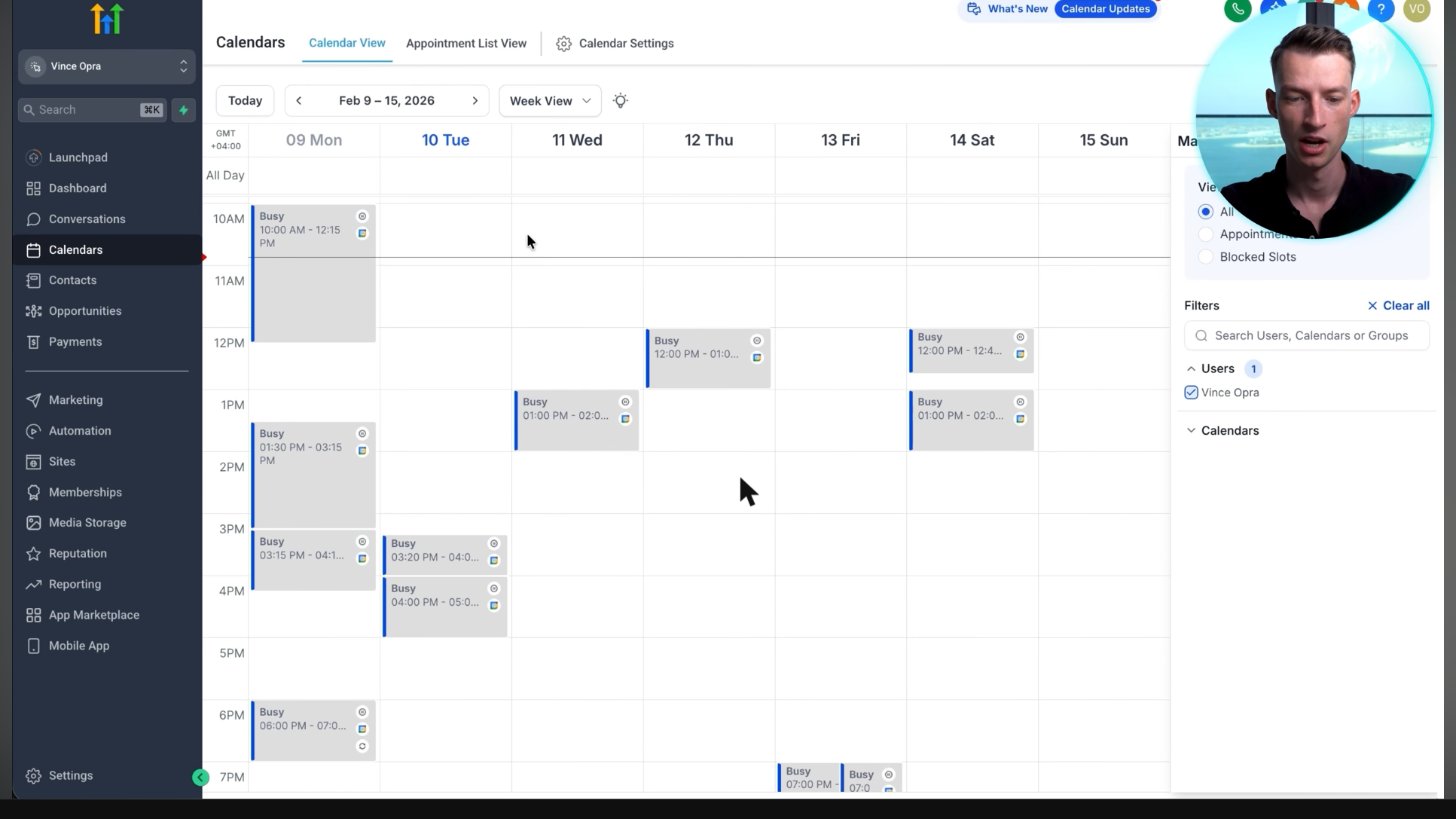
A week view of a real account calendar. The visible entries are marked Busy; this image alone does not establish booked calls or their source.
Screenshot from Vince Opra's GoHighLevel tutorial on YouTube.
Funnels and websites
Build landing pages, funnels, websites and supported store or blog pages in the visual editor. Forms, calendars and checkout connect the page to contacts and follow-up rather than leaving each tool isolated.
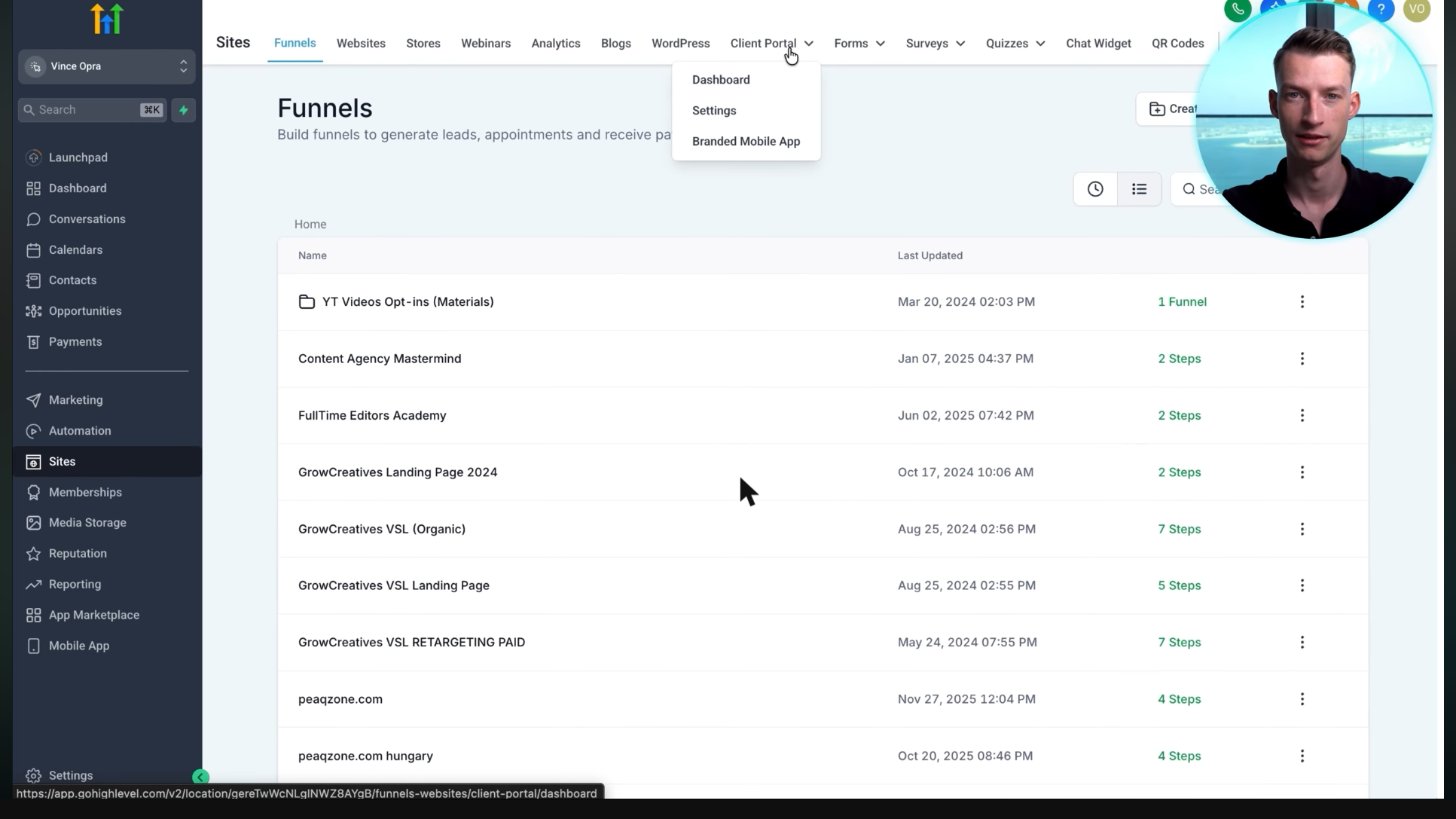
A real agency's funnels: VSL funnels, landing pages and opt-ins, each with its number of steps.
Screenshot from Vince Opra's GoHighLevel tutorial on YouTube.
GoHighLevel workflows
Workflows connect a trigger to actions, waits and branches. Start with a recipe for an appointment reminder or lead follow-up, then test it with your own contact before sending live messages.
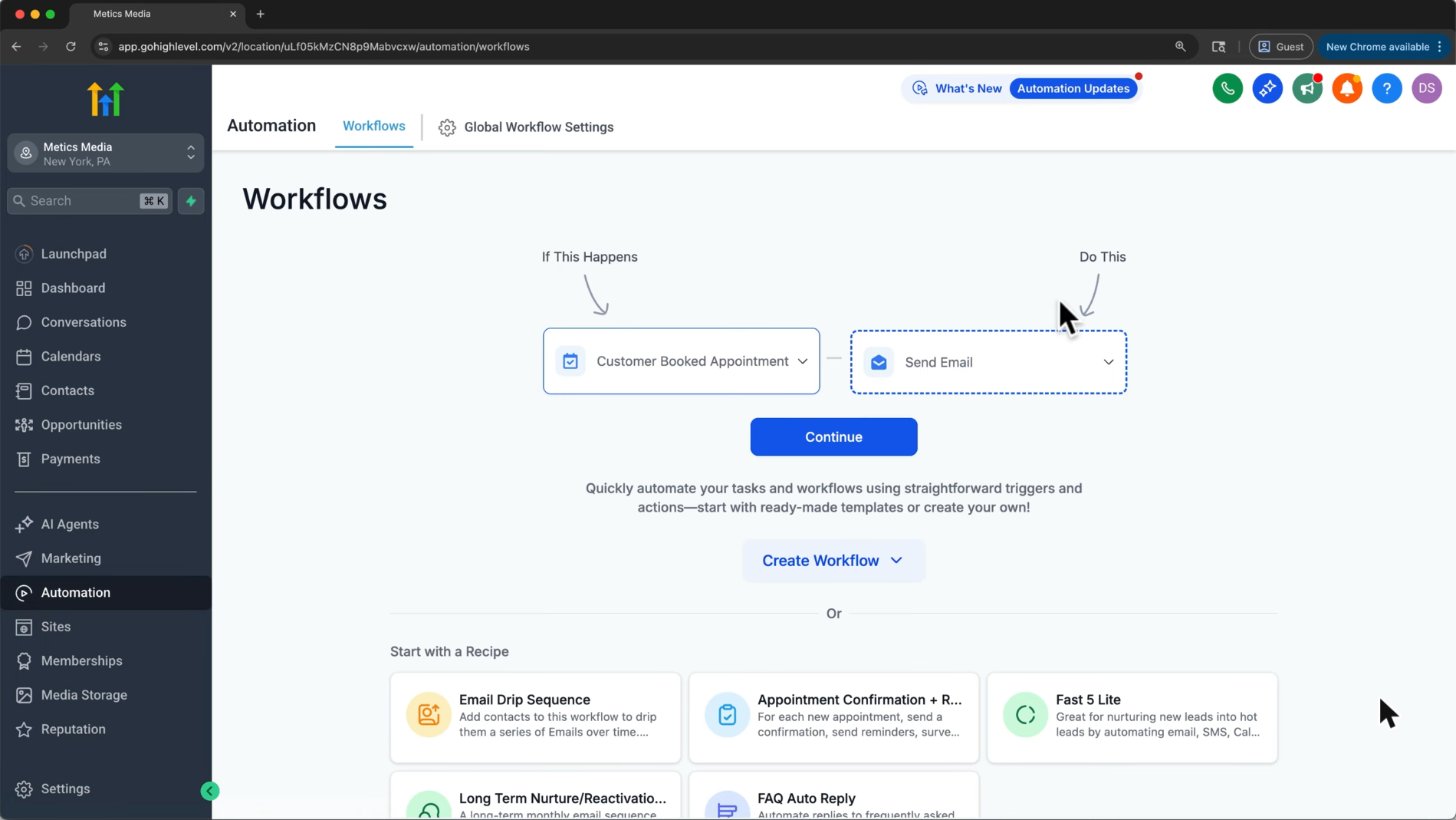
Every workflow is a trigger (Customer Booked Appointment) plus actions (Send Email). Recipes give you ready-made flows.
Screenshot from Metics Media's GoHighLevel tutorial on YouTube.
AI Employee
Conversation AI, Voice AI and other assistants can answer common questions, support bookings and draft review replies. AI Employee is an add-on, not unlimited free AI bundled into the $97 base subscription; configure knowledge, limits and human handoff first.
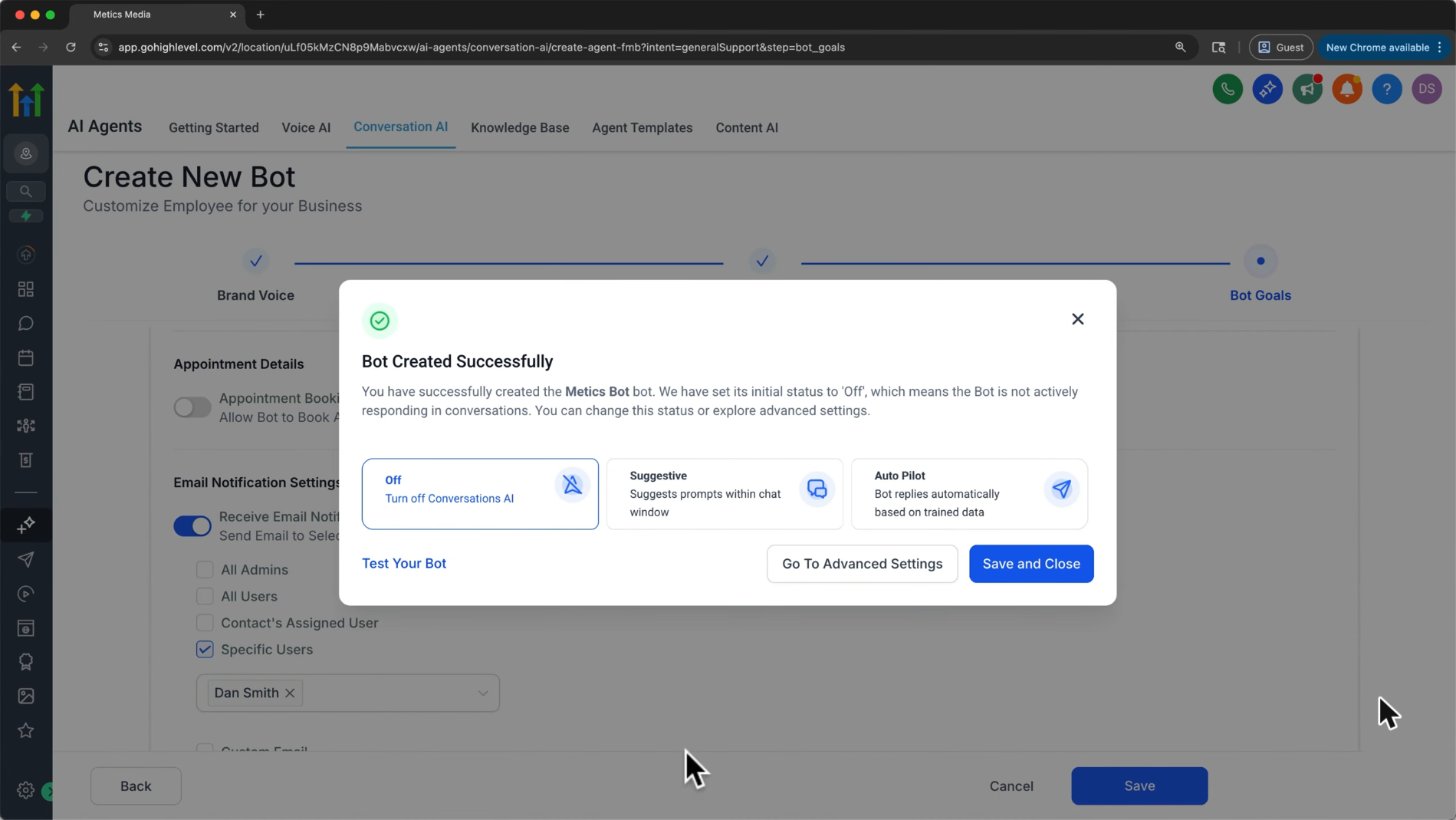
After you create a bot you pick a mode: Off, Suggestive (drafts replies for you) or Auto Pilot (replies by itself).
Screenshot from Metics Media's GoHighLevel tutorial on YouTube.
Email marketing and social planner
Use email campaigns or workflow email for follow-up, and Social Planner for supported connected social accounts. The screenshot demonstrates reporting layout only: its sample-data banner means the percentages are not evidence of real campaign performance.
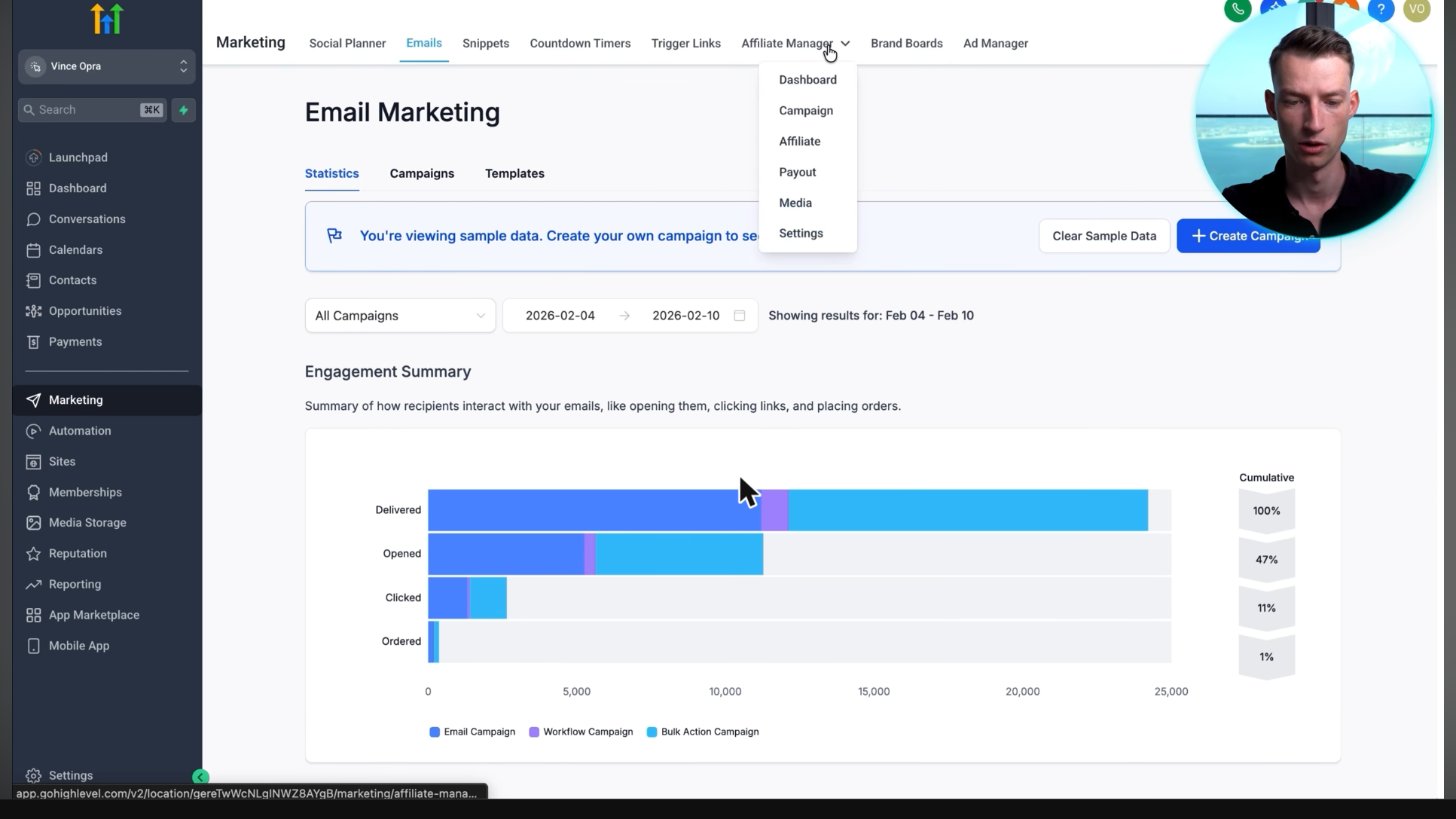
The email statistics screen shows about 24,000 delivered, 47% opened and 11% clicked. Its banner explicitly labels these as sample data, not verified campaign results.
Screenshot from Vince Opra's GoHighLevel tutorial on YouTube.
Reputation and review requests
Send review requests through configured channels and manage supported review connections in Reputation. Request honest feedback without filtering customers by satisfaction; Reviews AI replies are a separately billed AI feature.
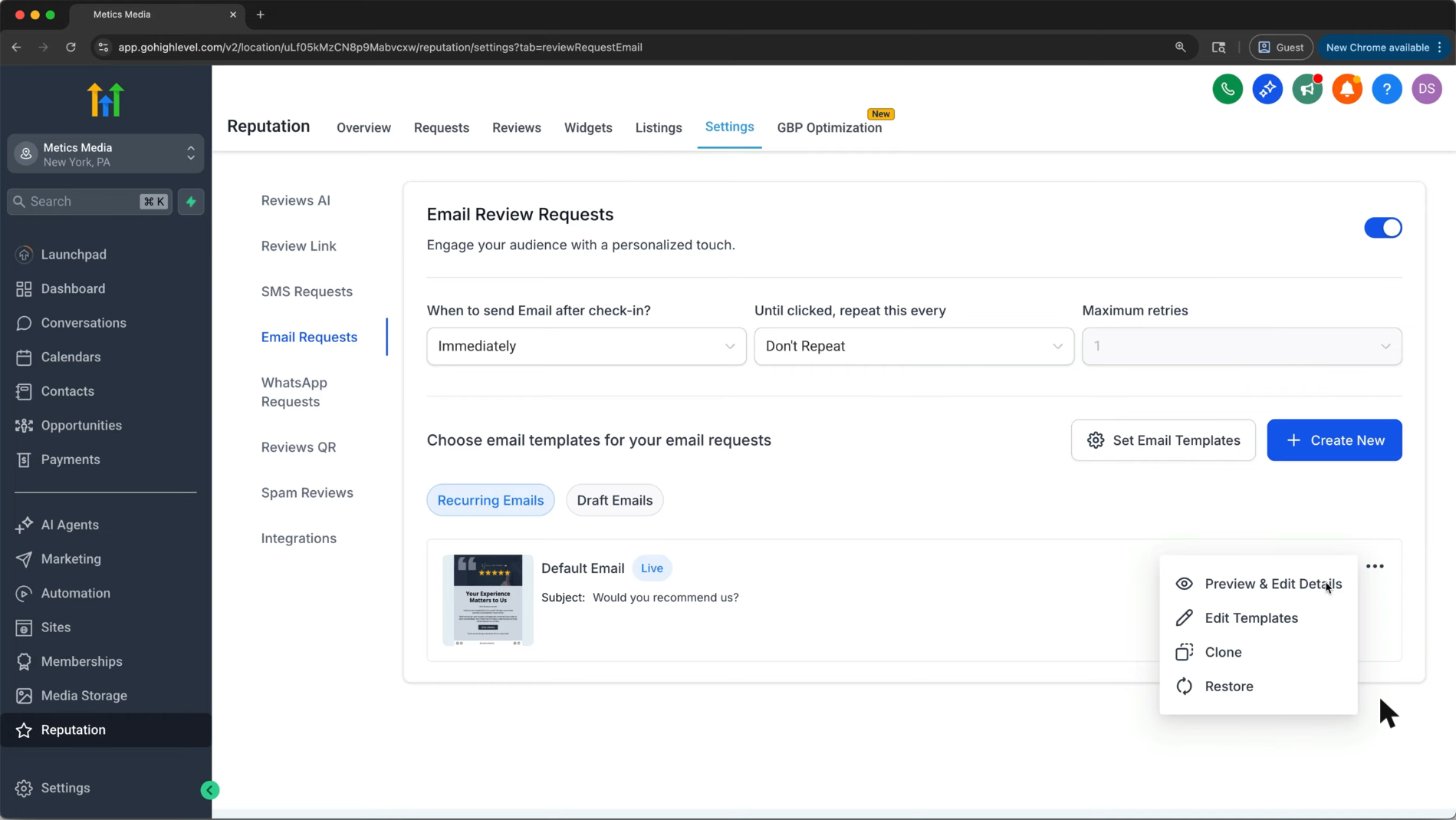
Reviews AI sits in Reputation settings next to automatic SMS, email and WhatsApp review requests.
Screenshot from Metics Media's GoHighLevel tutorial on YouTube.
Payments and memberships
Take supported payments, send invoices and provide course or membership access. Connect your processor and test checkout, refunds and access rules; transaction charges and product-specific limits still apply.
Integrations and the mobile app
Use native connections and Marketplace apps when you need another service. HighLevel and LeadConnector mobile apps let your team work conversations, contacts and appointments after the main setup is complete.
Official HighLevel tutorial
Conversations AI - Conversation Summary, Transcript Generation & Conversation Logs Live!
An official walkthrough of conversation summaries, transcripts and logs, focusing on one AI feature within the broader platform.
Official HighLevel videoPlaying shares data with YouTube. Vendor tutorial, not an independent review.
Frequently asked questions
What features does GoHighLevel have?
CRM, pipelines, a unified inbox, calendars, funnels, websites, workflows, email and social marketing, reputation, payments and memberships, plus integrations and separately billed AI tools.
Which features are on the $97 plan?
Starter includes core CRM, funnels, calendars, workflows and email tools, unlimited contacts and users, and up to three sub-accounts. Usage fees and add-ons are separate; check current pricing for exclusions.
What does GoHighLevel replace?
For suitable use cases it can replace tools such as Calendly, Mailchimp, ClickFunnels, a review tool and a CRM. Specialist capabilities are not always equivalent, so compare your actual requirements first.
Does GoHighLevel have AI?
Yes. The AI Employee add-on includes conversation, voice and other AI capabilities. See the linked AI Employee guide for cost and setup.
Is there a mobile app?
Yes. HighLevel and LeadConnector are available for iPhone and Android. The mobile app guide explains branding, access and desktop-only setup tasks.
Keep exploring GoHighLevel
Sources and editorial notes
Screenshots supplied by Adam, with individual source credits beneath each image. GHL Deals is an independent guide, not HighLevel. Interface labels, feature availability and usage fees can change; confirm current terms before enabling a paid feature.
Disclosure: We may earn a commission if you sign up through our links, at no additional cost to you. How we earn.